carchidi.solutions Contact

Project · The Answer

A print shop operating system, built and run for a decade.

One FileMaker system that follows a commercial print job from quote to invoice. Estimating, job tickets, scheduling, shop floor data collection, invoicing, inventory — six modules, one database, a live production floor. Ten years of building and refining.

Platform
FileMaker Pro + FileMaker Server
Time built
10 years
Scope
Quote → press → invoice

What it is

The Answer is the operating system for a commercial printer. A job comes in as a quote. The quote becomes a job ticket. The job ticket drives prepress, press, finishing, mailing, and shipping. The system collects time, material, and machine data from the shop floor as the work happens. When the job is done, it pushes into accounting as an invoice — split, merged, or single — with freight and postage reconciled.

One database. Six modules. The whole lifecycle of a print job, from a salesperson's first phone call to the accounting team's final push.

The six modules

01

Estimating

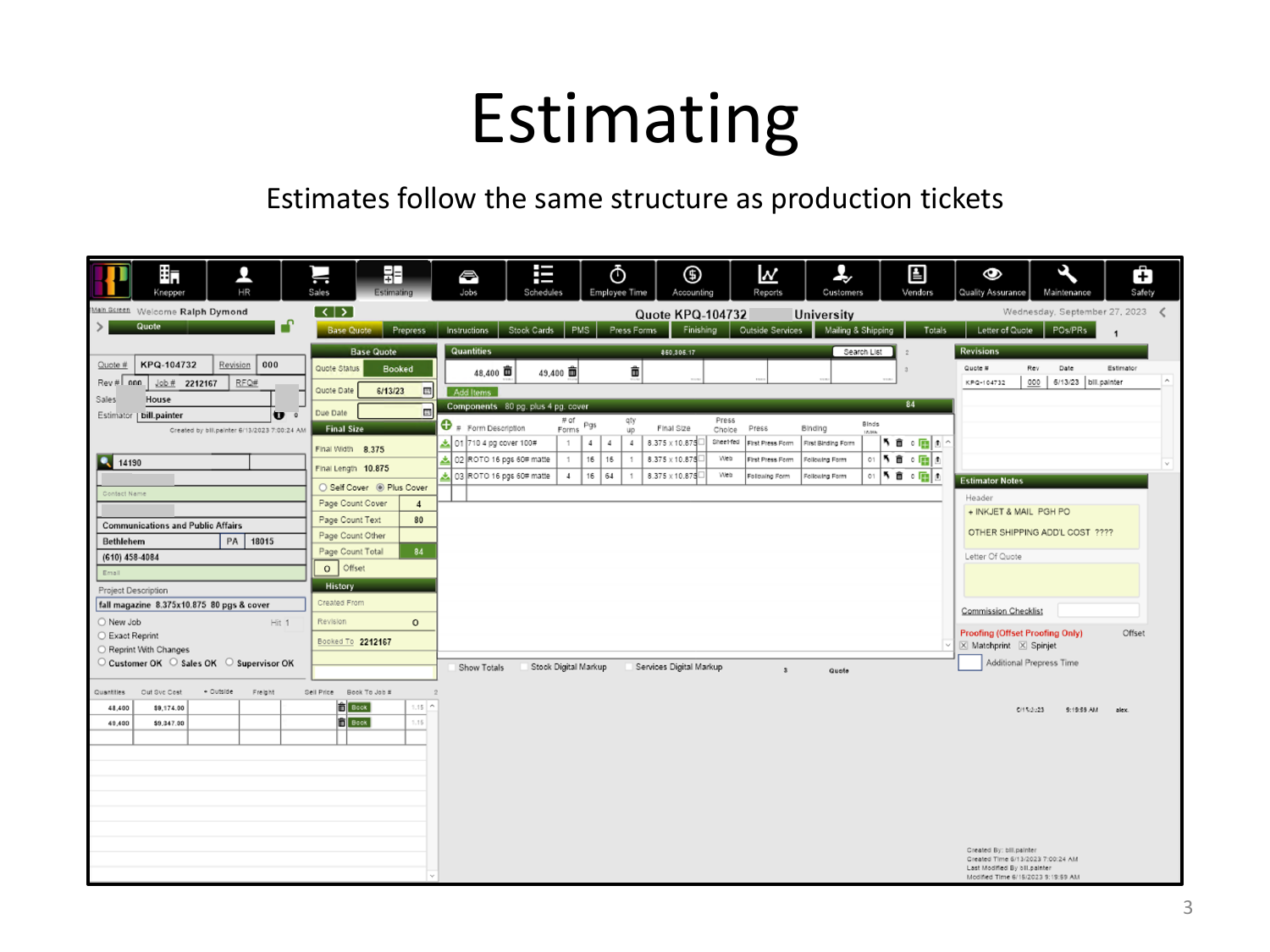
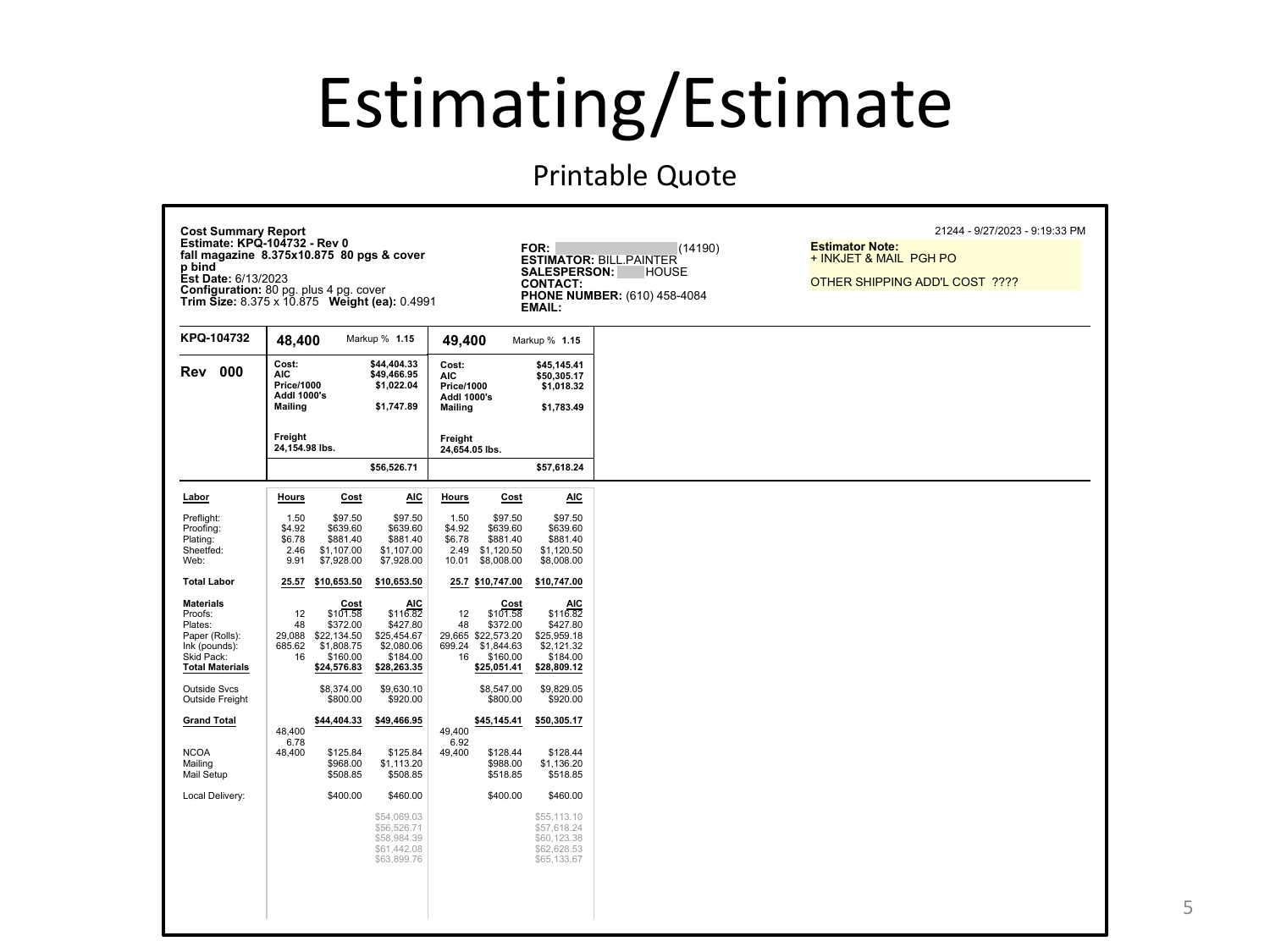
New quotes, revisions, duplicates of prior quotes as starting points. Cost summaries with labor, materials, outside services, freight, and mailing broken out. Convert or merge a quote into a production job in one step.

Estimate window in The Answer — quote header, items, costing tabs
Estimate window — same structure as a production ticket.
Printable cost summary report — labor, materials, freight, and mailing broken out
Cost summary report — full labor, materials, freight, and mailing breakdown.
02

Job Tickets

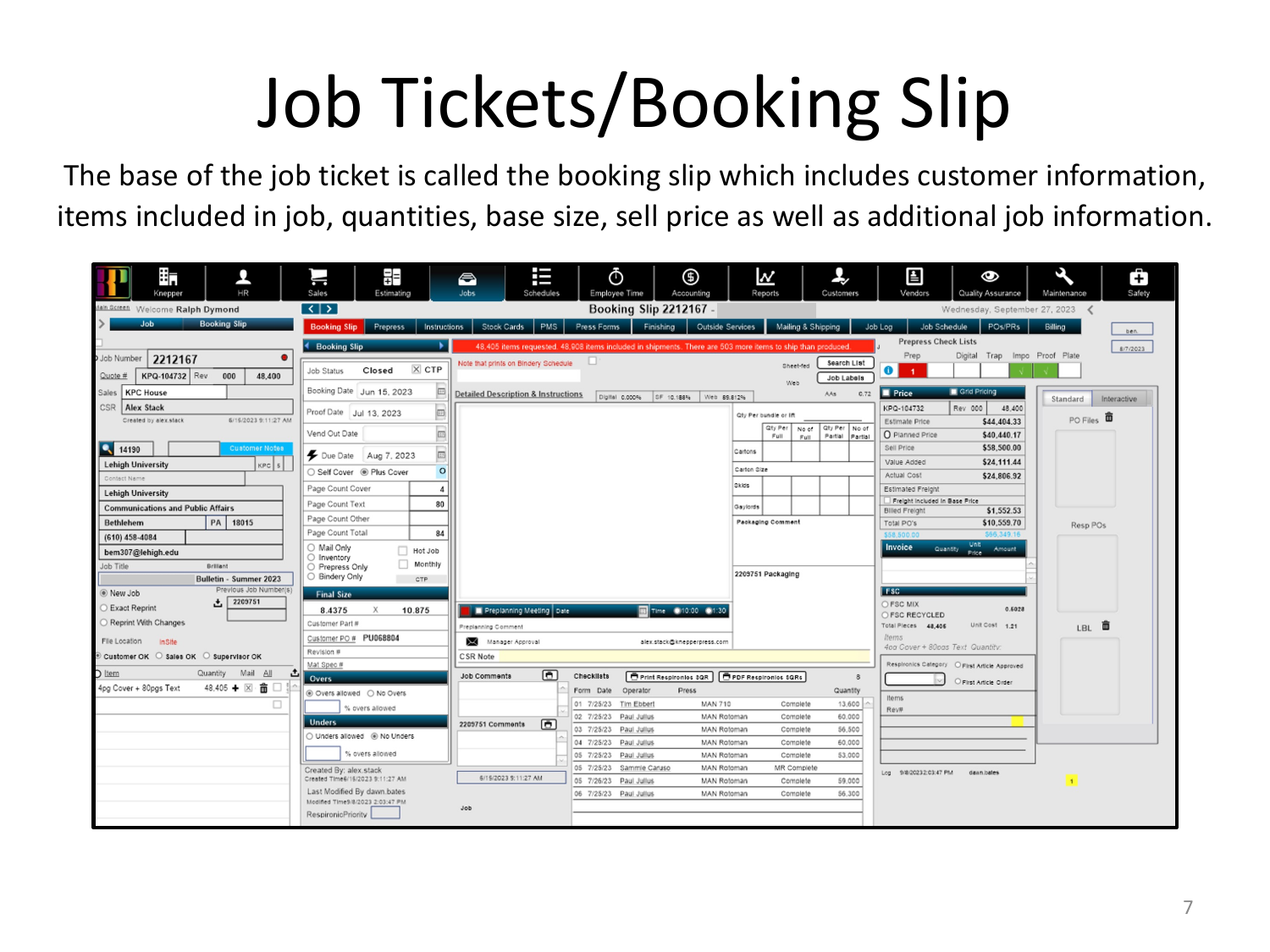
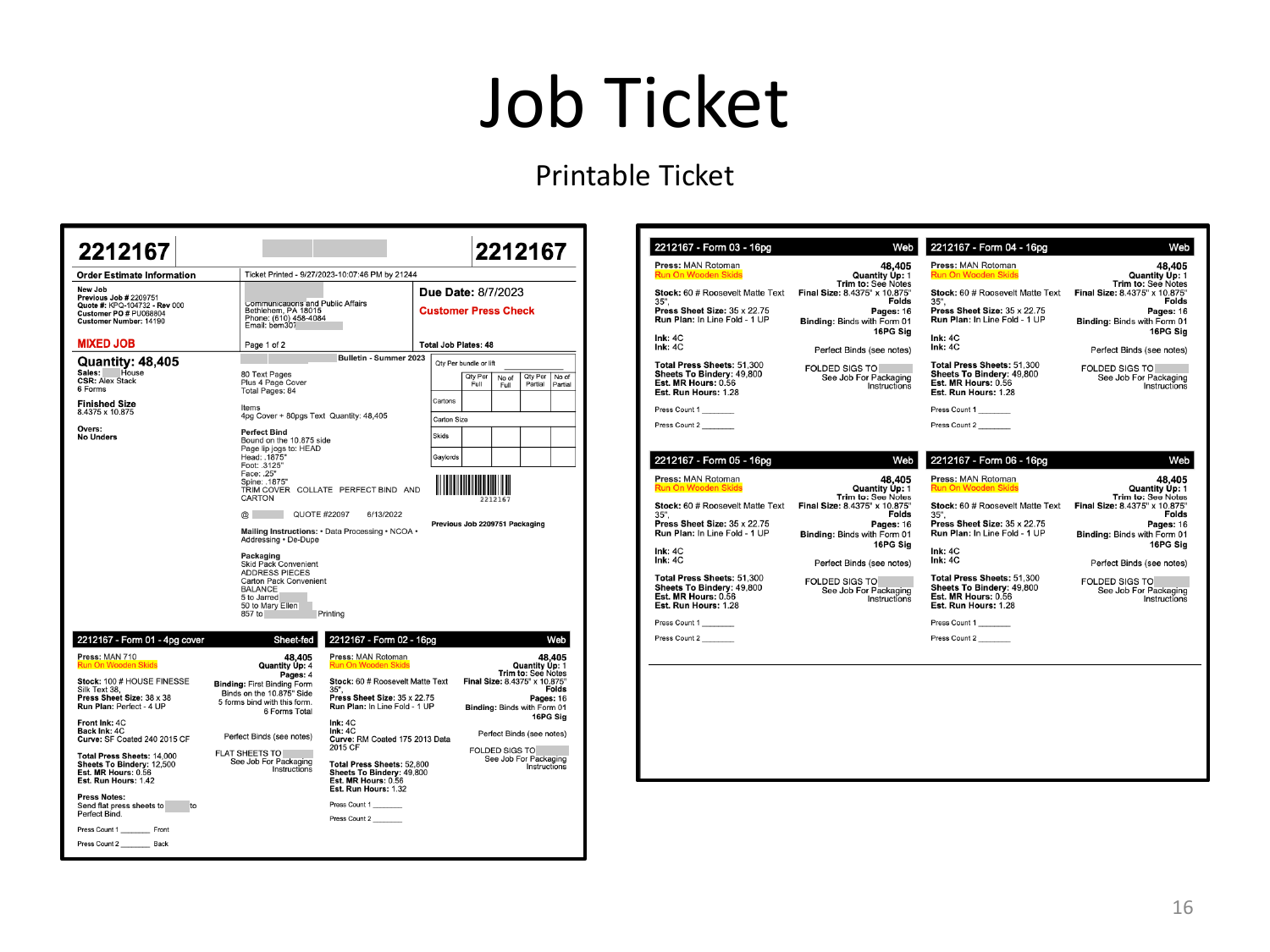
Booking slip, prepress, instructions with CSR ↔ prep status communication, stock cards drawing from an active stock library, forms and segments, press setup with run-to-yield calculations, finishing, outside services with PO generation, and a full mailing/shipping module.

Job ticket booking slip — customer info, items, quantities, price
Booking slip — customer, items, quantities, base size, sell price.
Printable job ticket showing per-form detail
Printable ticket — what goes to the floor.
03

Scheduling

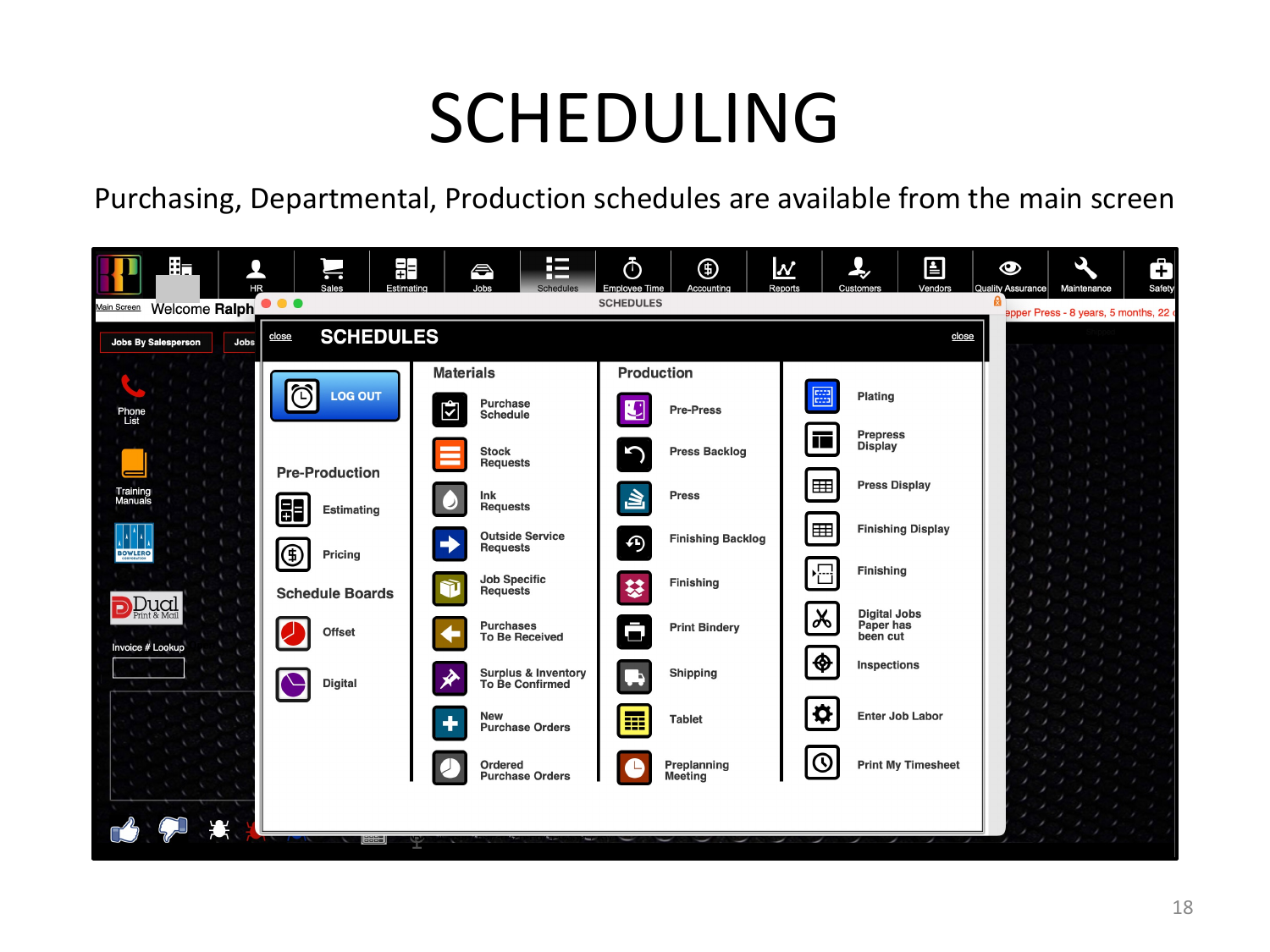
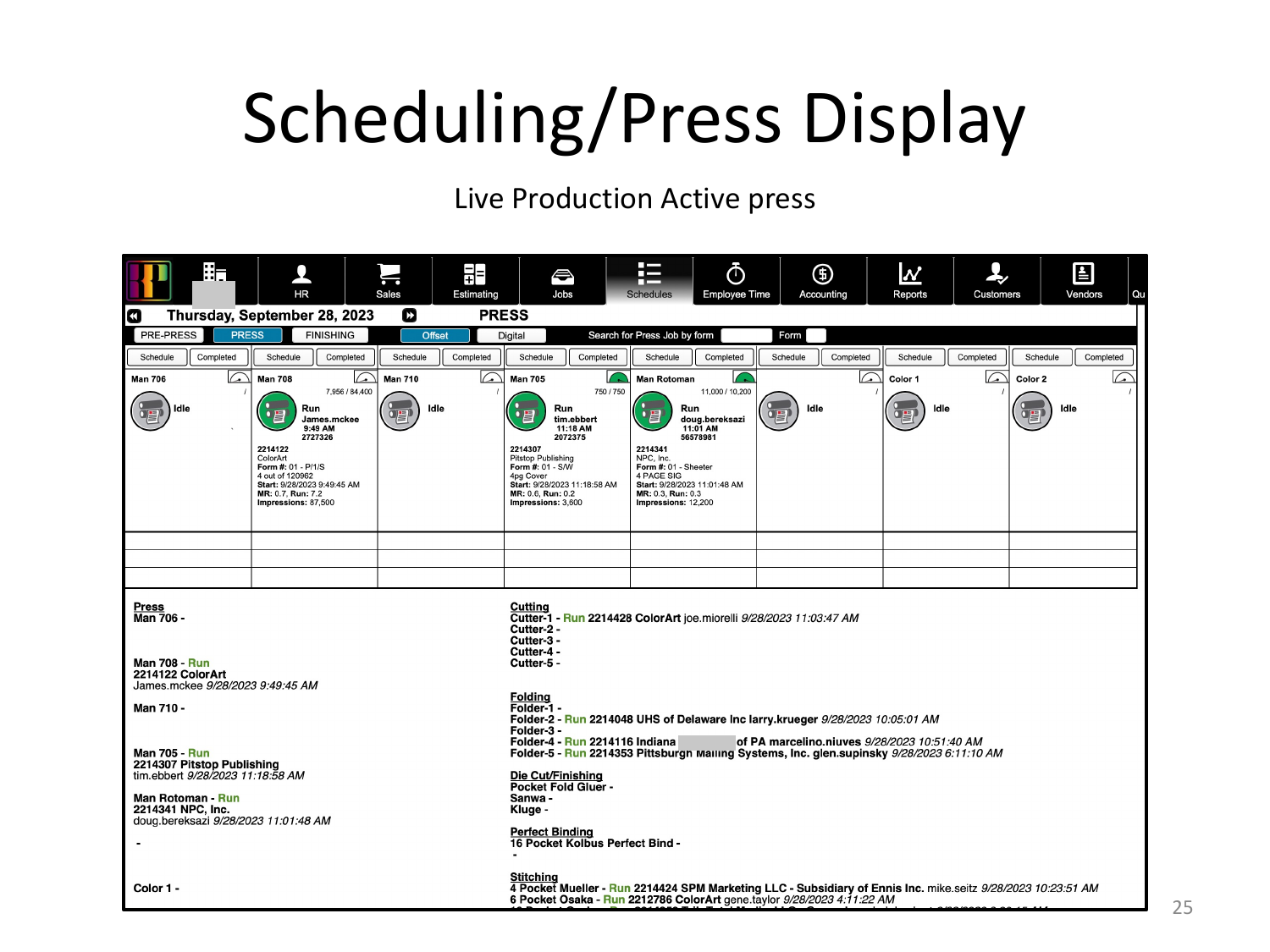
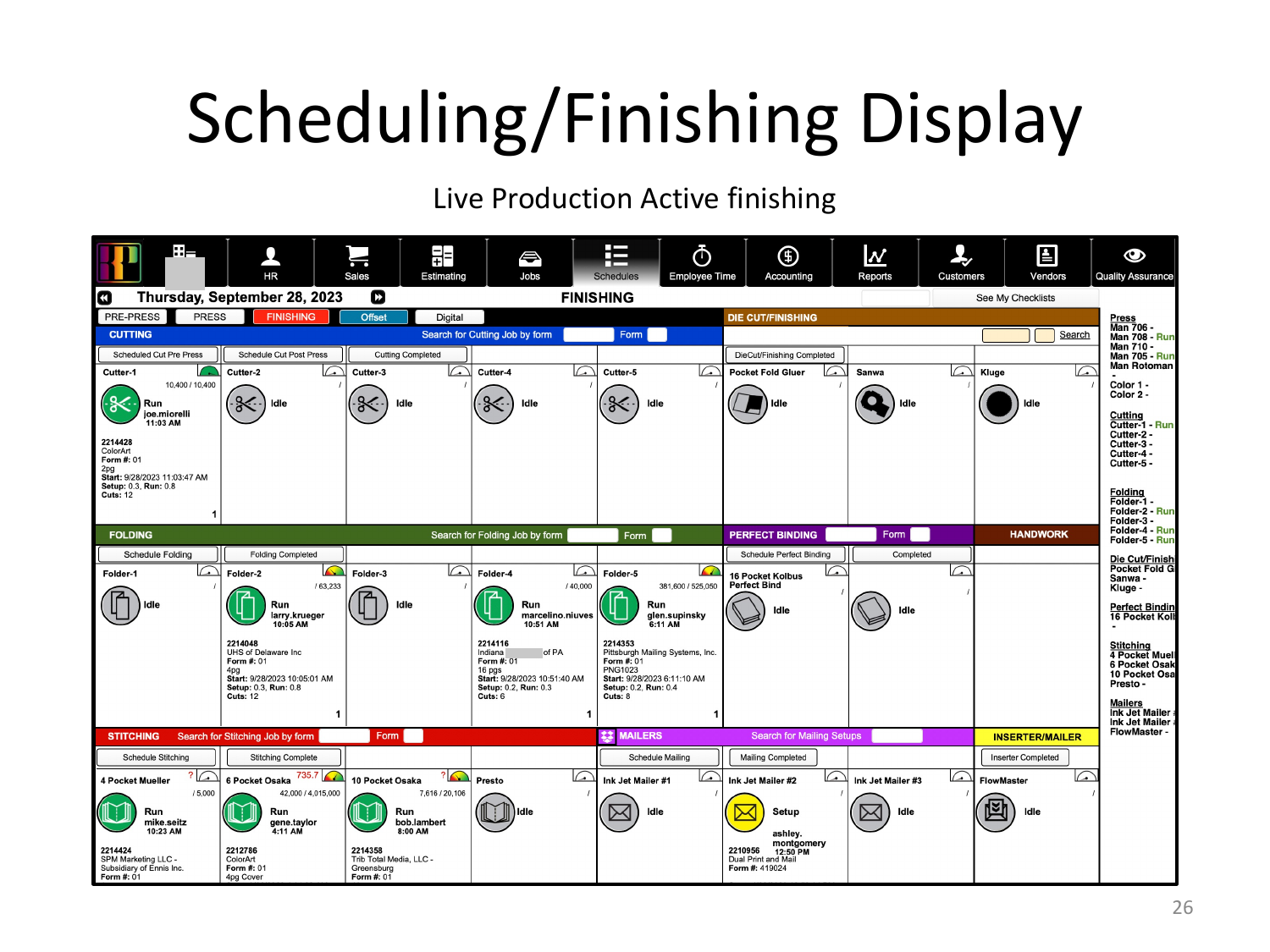
Purchasing schedules, departmental schedules, production schedules. Press tags generated per form, backlog and active press views, finishing display, shipping schedules across mailing, local trucks, small packages, and freight.

Scheduling overview — all schedules available from main screen
Schedules hub — purchasing, departmental, production, all reachable from the main screen.
Live press schedule with active jobs and forms
Press display — live production view.
Live finishing schedule across folders, binders, cutters, mailing
Finishing display — folders, binders, cutters, mailing.
04

Shop Floor Data Collection

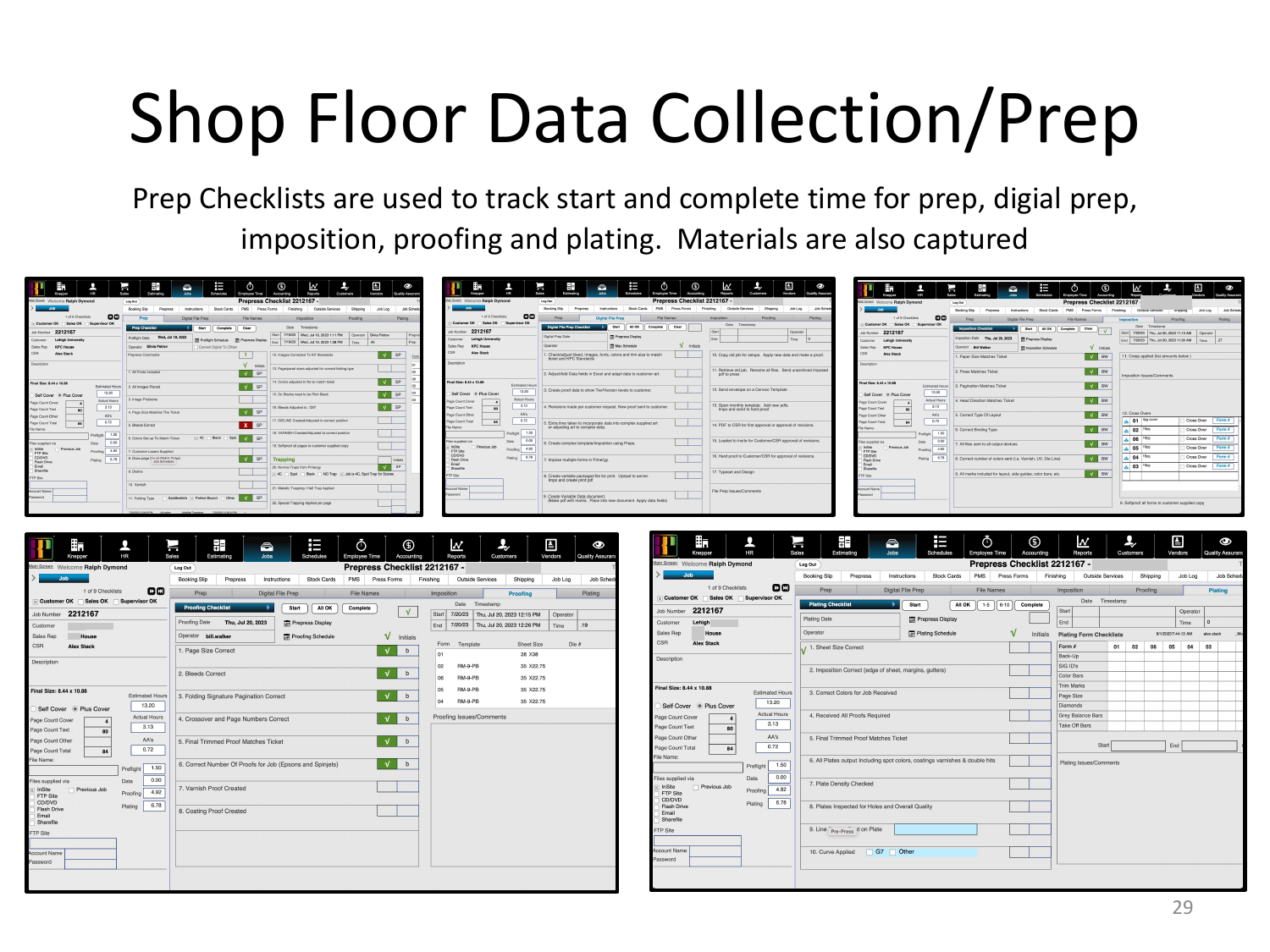
Checklists for prep, press, finishing, handwork, and shipping. On press, operators click start make-ready and start run; the system pulls counts and timestamps directly from the machine to calculate MR time, run time, and speed. Material usage is captured at the form. Variances and operator notes are logged against the job.

Prep checklists — track start and complete time for prep, digital prep, imposition, proofing, plating
Prep checklists — start and complete times for prep, digital prep, imposition, proofing, and plating.
05

Invoicing

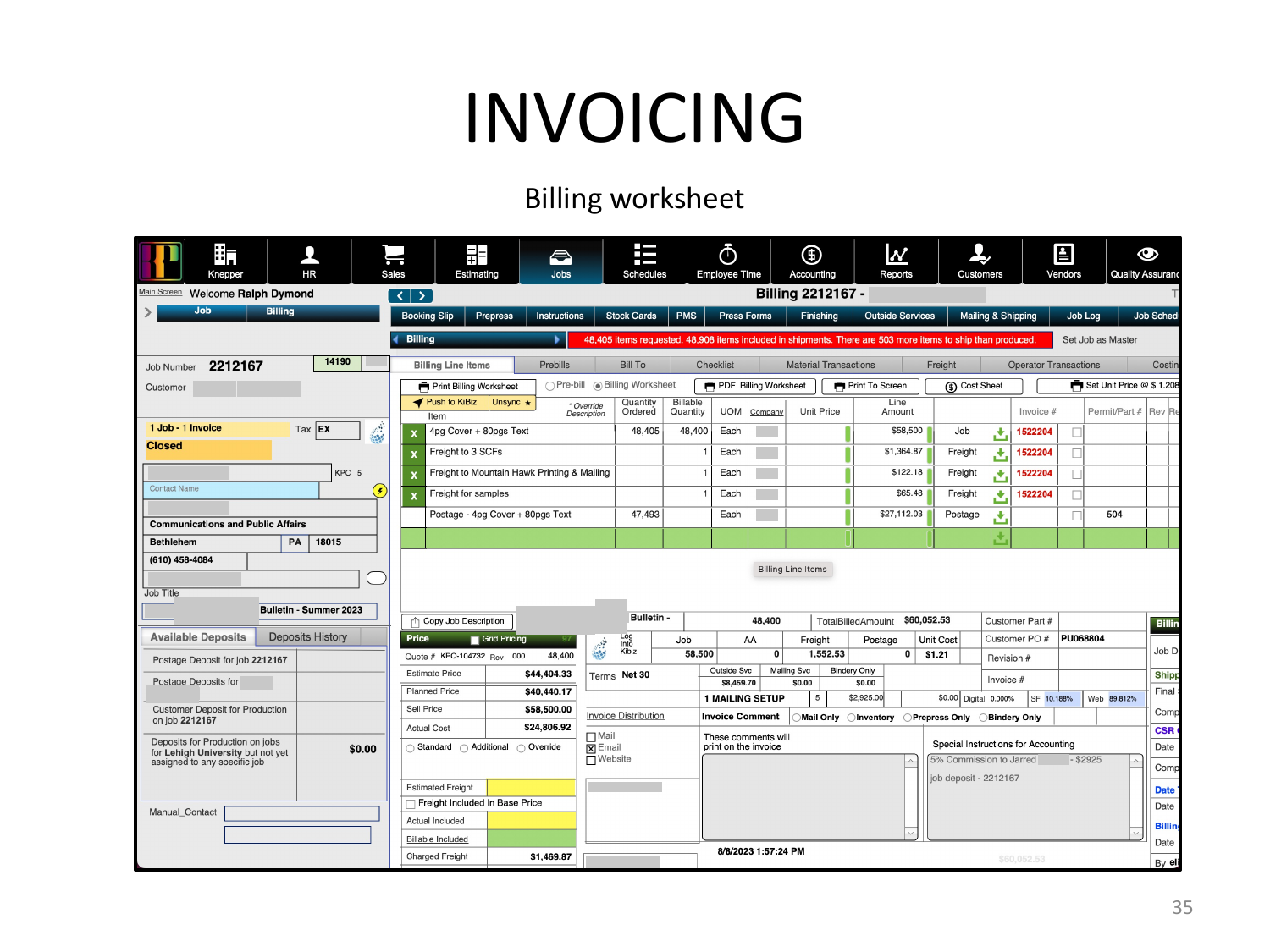
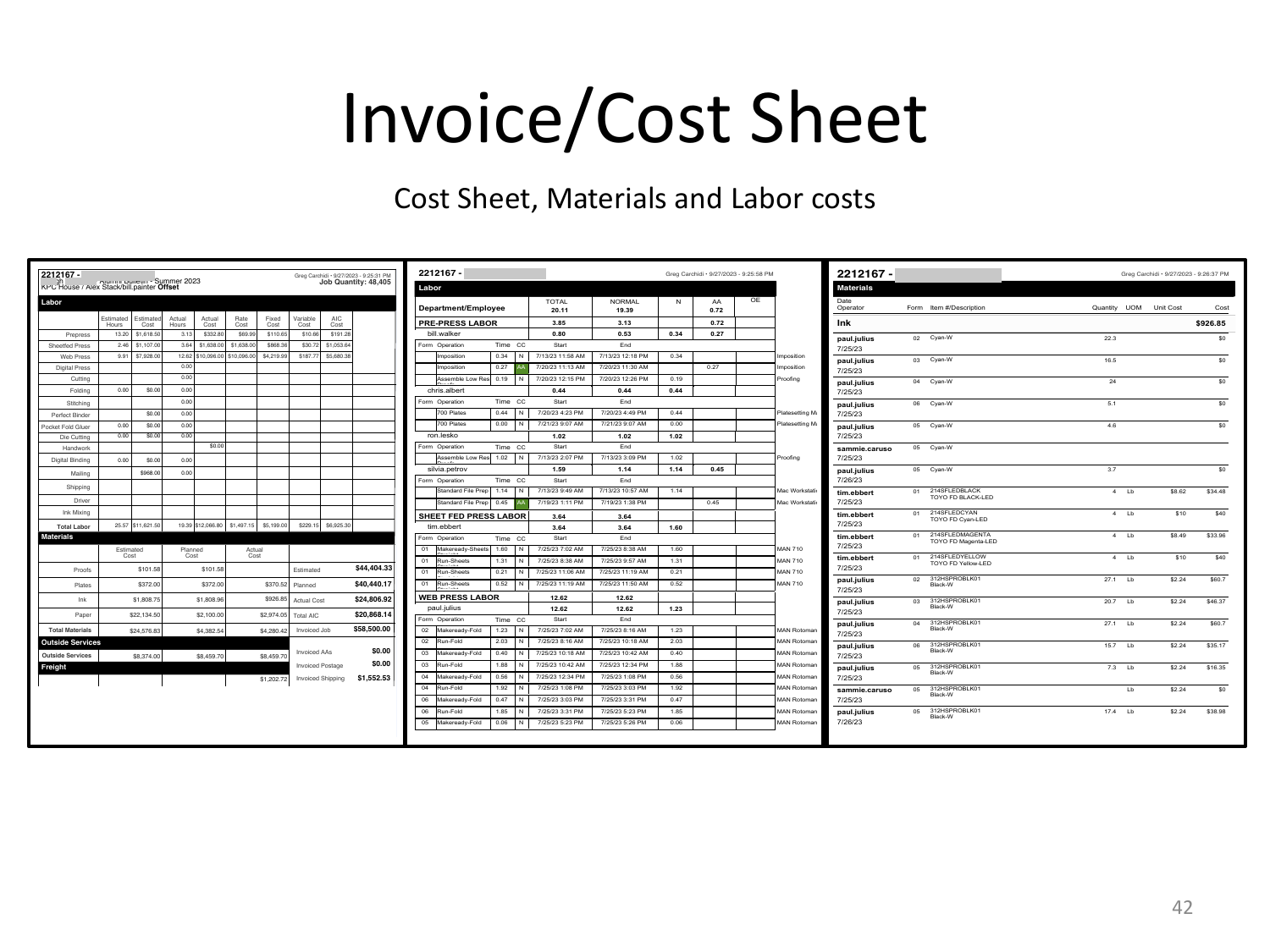
Pre-bill, billing checklist, operator time transactions, material transactions, freight reconciliation (billed vs. billable vs. absorbed), cost sheets. Four push modes — single job to single invoice, single job split across invoices, multiple jobs merged into one invoice, multiple jobs split across multiple invoices.

Billing worksheet — pre-invoice summary
Billing worksheet — generated before the push to accounting.
Cost sheet — labor, materials, shipping
Cost sheet — labor, materials, and shipping costs reconciled.
06

Inventory

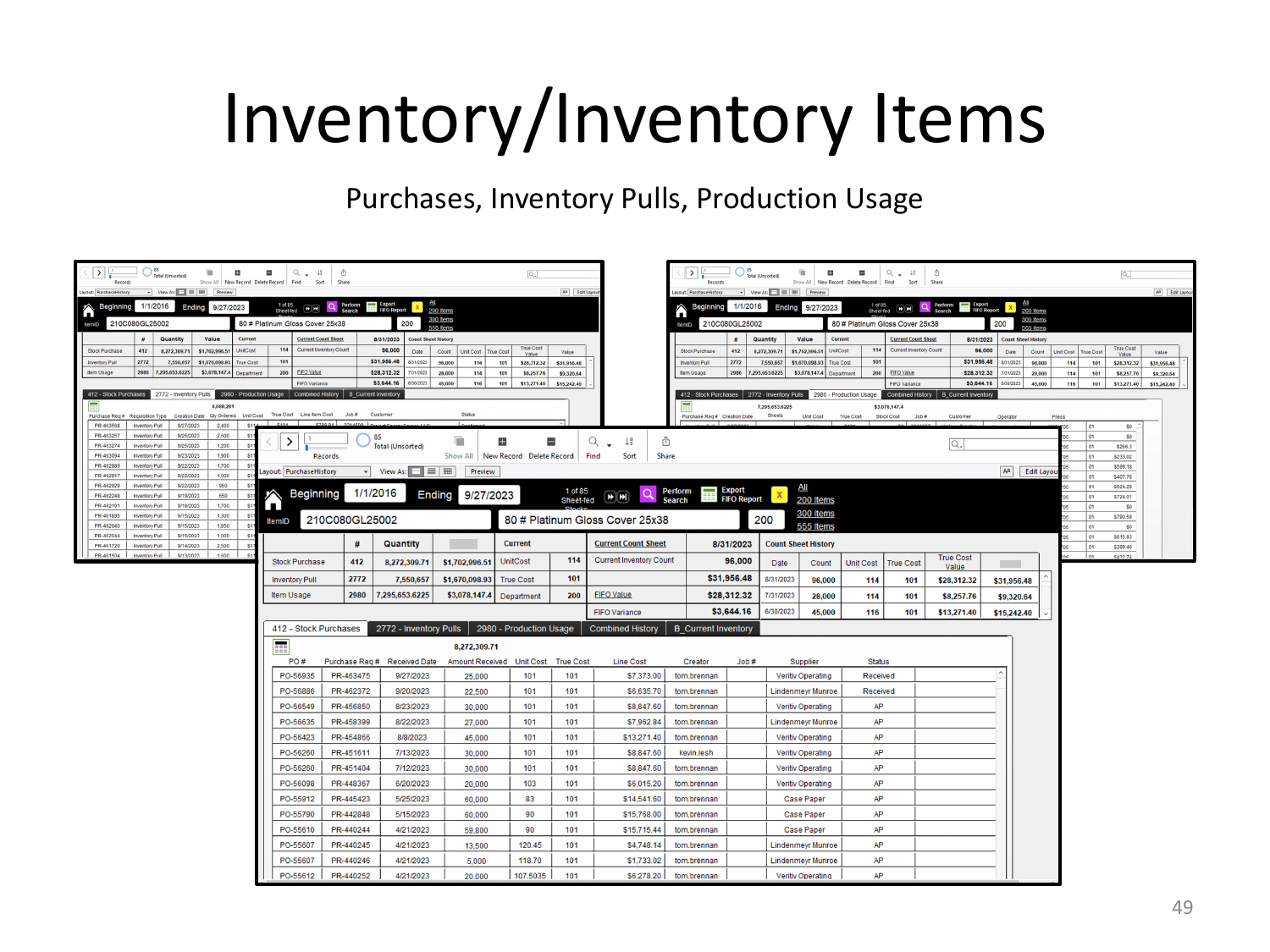
Stock, ink, miscellaneous items. Purchase tracking, inventory pulls, production usage. Item-level and combined history. Sortable by category.

Inventory items — purchases, inventory pulls, production usage
Inventory items — purchases, pulls, and production usage tracked together.

The details that prove it ships

These are the things you only build if a production floor actually depends on the system.

  • Direct press integration. Counts pulled from the press itself at start make-ready, start run, and end run. No operator math.
  • CSR ↔ prep status loop. Instructions flow from CSR to prep with charge options and status flowing back, so the booking notes stay live instead of getting stale on paper.
  • Freight reconciliation. Every shipment tracked with billed amount, billable amount with markup, and absorbed cost. So the operations team and the accounting team see the same numbers.
  • Four invoice push modes. Real shops bill jobs in messy ways: one PO covers three jobs, one job splits across two cost centers. The system handles all four shapes natively.
  • Stock library with PO generation. Stocks chosen at the job level draw from a maintained active library. Stock requests roll up into purchase orders or inventory pulls.
  • Legacy job access. Jobs archived from prior systems remain searchable from the main screen, so a decade of history doesn't get stranded.

What this represents

The Answer is the work I lean on when someone asks whether I can build and maintain enterprise-scale FileMaker. It ran a real production floor. People used it every day to ship jobs and bill customers.

The underlying stack is older — the system was built before the current generation of FileMaker integration patterns and before AI tooling existed in any practical form. The newer techniques live in my work on GP Custom Services, where I've been wiring Claude into a 30-year-old FileMaker system via the Data API. Different scale, different era — but the same discipline of building software that production people actually use.

More work

Adding modern integration to a 30-year-old system.

GP Custom Services — wiring Claude, the FileMaker Data API, and live weather forecasts into a system that's been running since the mid-90s.

Read the GP case study →